
For accounting firms in Romania
Bookkeeping work, prepared by AI.Decided by your accountants.
Kontara is an operations platform for accounting firms. Your clients' documents are read and proposed for booking, bank lines are matched to invoices, missing documents are asked for, and each month goes to SAGA ready to import. Your firm works in one console; your clients use one app on the web, iPhone and Android.
A demo with demo data, in Romanian or English.
- Firm
- One console for your accountants
- Clients
- One app: web, iPhone and Android
- Languages
- Romanian and English
- Data
- Microsoft Azure, in the EU
What it does
The month of every client, from the first receipt to the SAGA file.
Eight modules on the same documents, bank lines and suppliers, so nothing has to be copied from one place to the next.
Documents
Clients upload invoices and receipts, or scan them with the phone. Kontara reads them and proposes the supplier, account and VAT rate; your firm approves.
- Read with OCR, or with AI when your firm turns it on
- Approve, reject or delete in bulk
- No approval without an expense account
Bank reconciliation
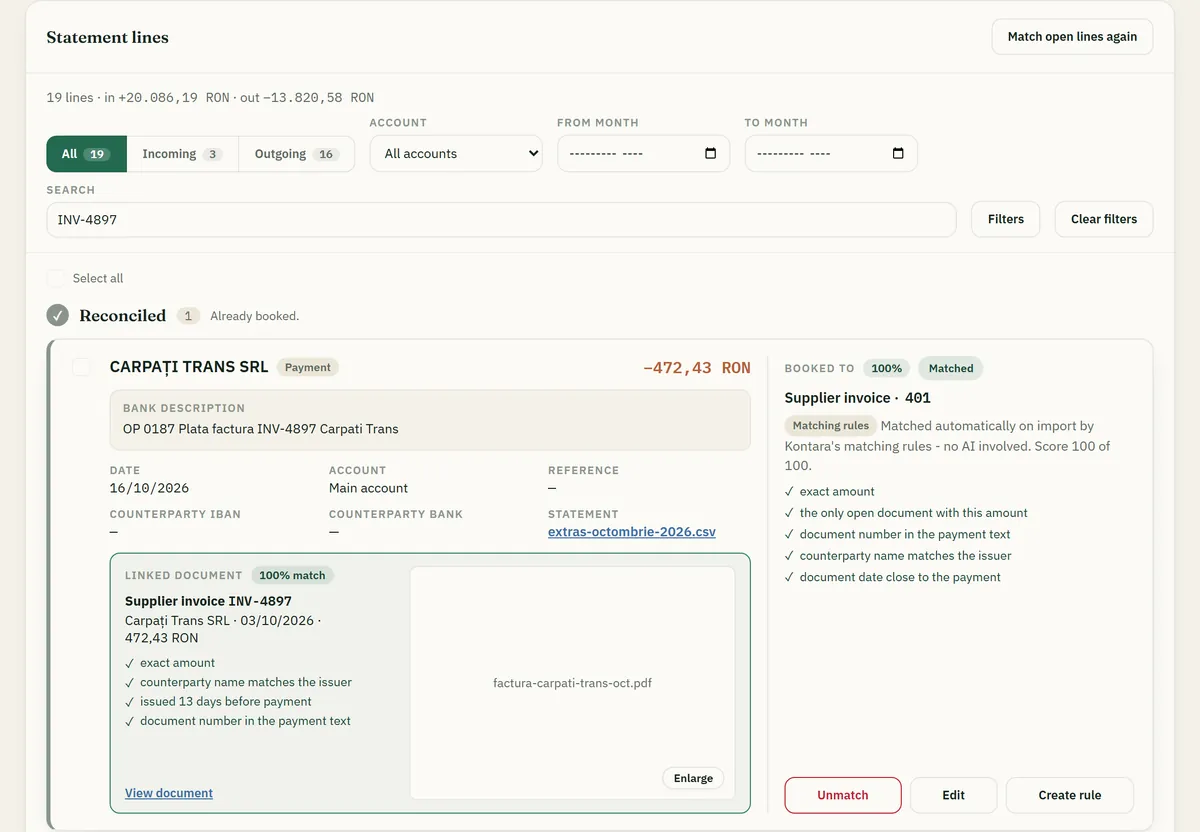
Statements as CAMT.053, MT940, CSV or PDF, or a bank connection the client sets up. Lines are matched to documents automatically or with AI suggestions, then the month is closed.
- Automatic matches show the rules behind them
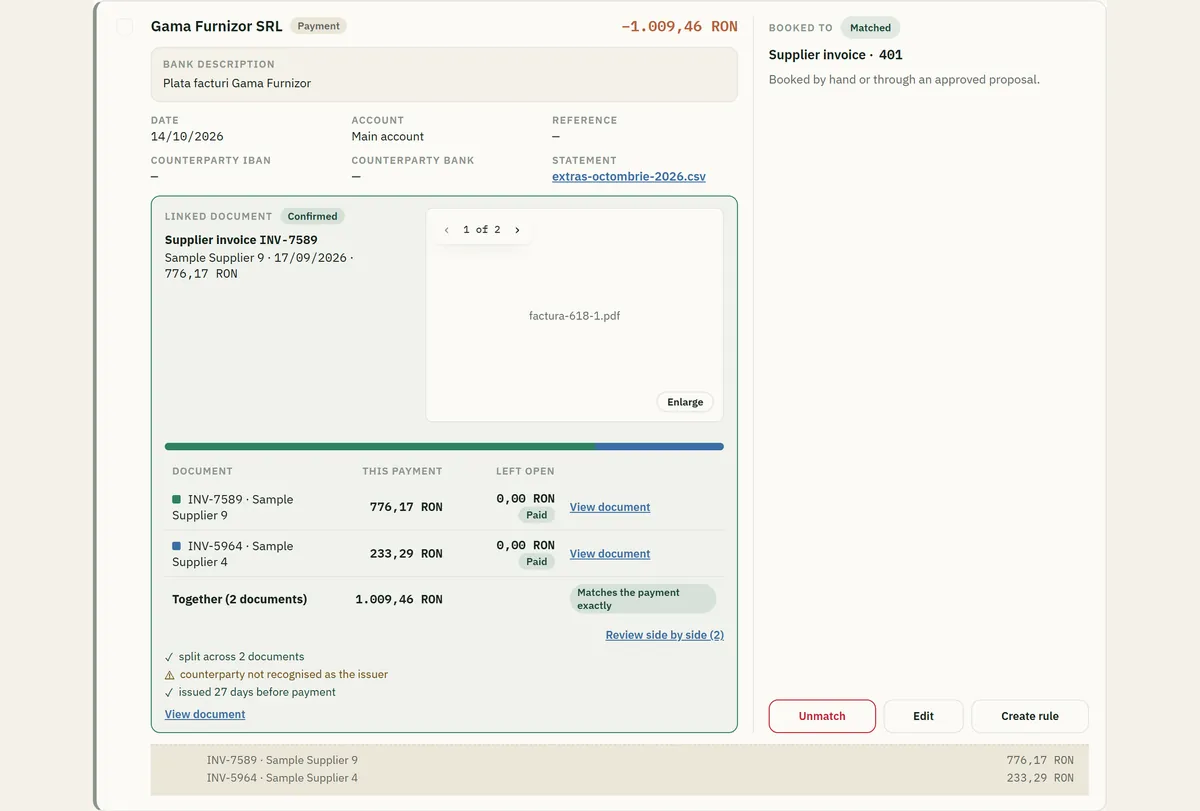
- One payment split across several invoices
- Close the month per bank account
Missing documents
Every bank line that has no supporting document, across all your clients, and a request to the client for it.
- Salaries, taxes, own transfers and bank fees are left out
- Filter by client, month and counterparty
- The client answers in the app
Sales invoices
Fetched from ANAF e-Factura or uploaded, then approved by the firm. Kontara registers them; it never submits invoices to ANAF.
- e-Factura XML read as data
- Approved one by one or in bulk
SAGA, both ways
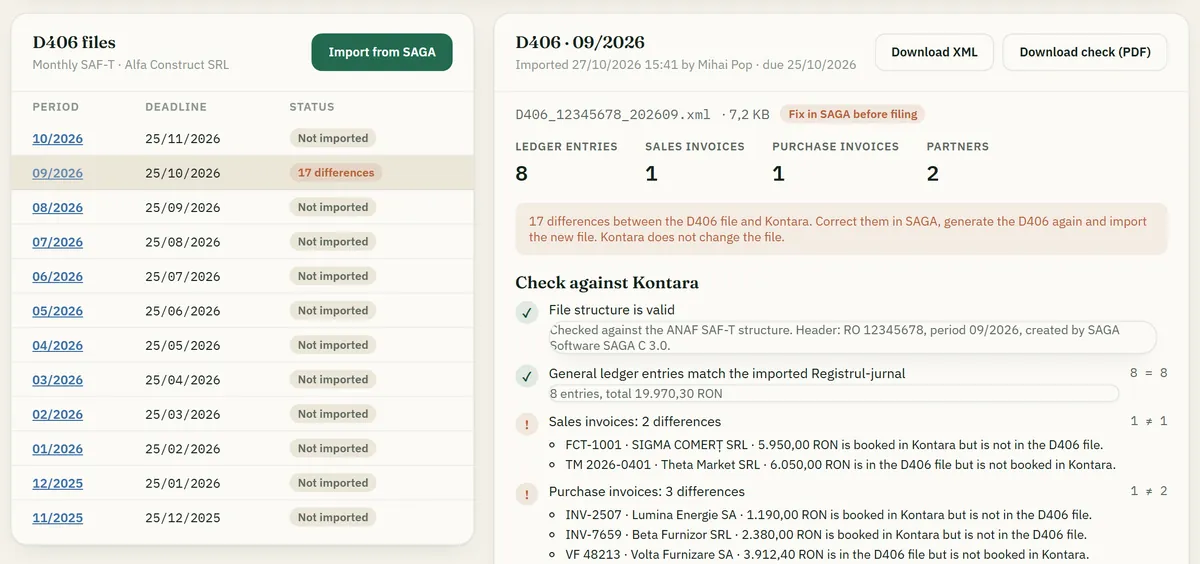
Export a client's month as the files SAGA imports. Import SAGA's general ledger (Registrul-jurnal) and D406 back into Kontara for a check.
- Export to SAGA C as a ZIP
- Ledger checked: right client, right month, debit equals credit
Journals and declarations
Sales and purchase journals per client and month, with D300 and D390 summaries, and a D406 check against the books before filing.
- Says whether the month is complete
- Each difference in the D406 is named
- Excel and PDF downloads
Dashboards
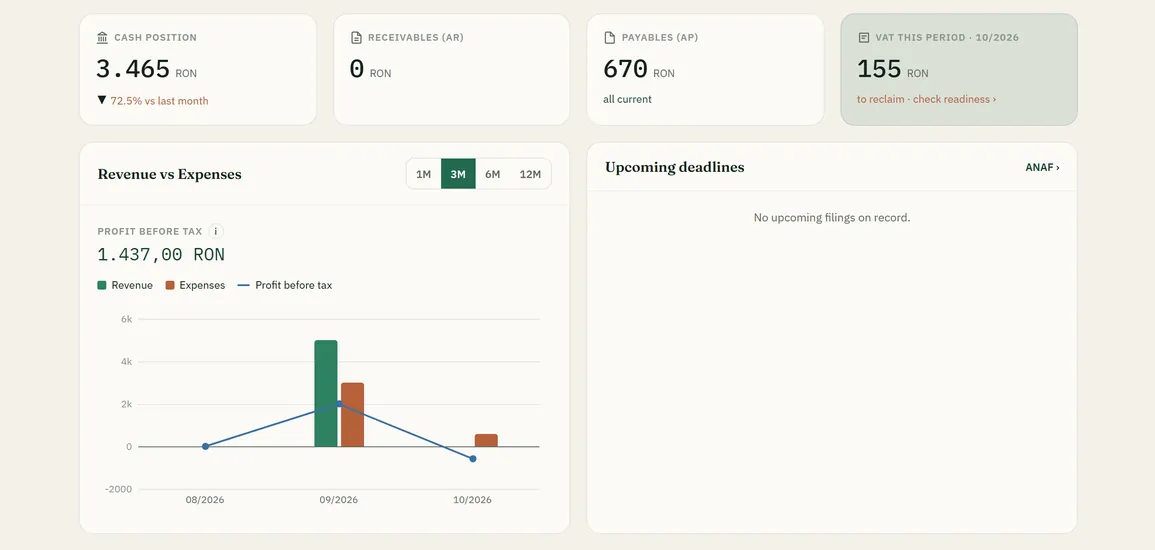
Each user builds their own view of figures, reports and deadlines, for the firm or for one client.
- Revenue, expenses, cash, payables and receivables
- Filing deadlines in view
Client app
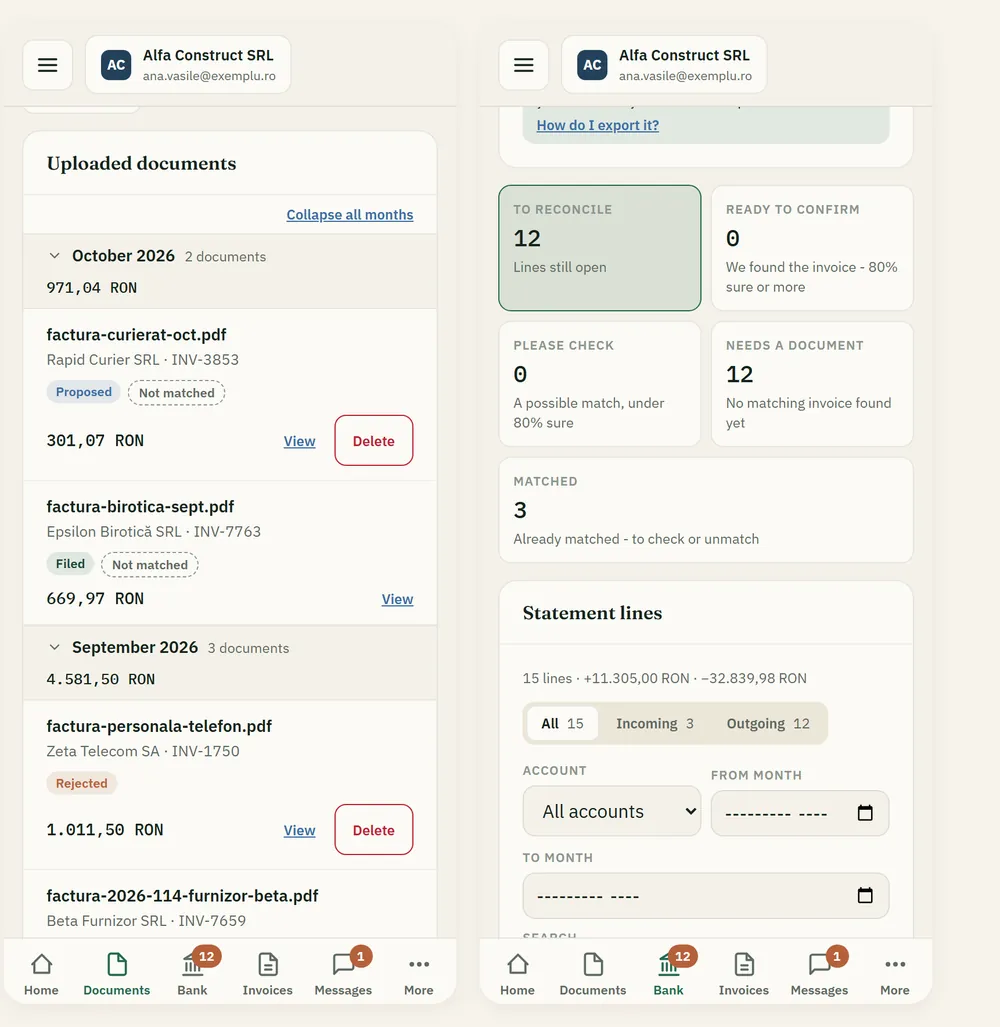
One app for your clients on the web, iPhone and Android, with the same account. They upload, answer your questions and see where their books stand.
- Scan a receipt or share a file from another app
- Notified when the accountant asks something
- Romanian and English
The AI colleague
It prepares the work. Your accountants decide.
Kontara's AI colleague reacts when a document is read or a bank statement arrives, and checks your clients every morning. It proposes; a person confirms. Your firm sets, per task, how far it may go.
What it does
- Proposes the account and VAT rate when the reading left them blank
- Links a document to the right supplier
- Finds documents for open bank lines and proposes the match
- Asks the client one specific question when a document was hard to read
- Flags a new IBAN, an unusual amount or a possible duplicate
- Answers your clients' questions in the app, and says so when it can't
What it never does on its own
- File documents or post journals
- Send anything to ANAF
- Write free-text messages to your clients
- Import an amount from a PDF statement that isn't printed in it
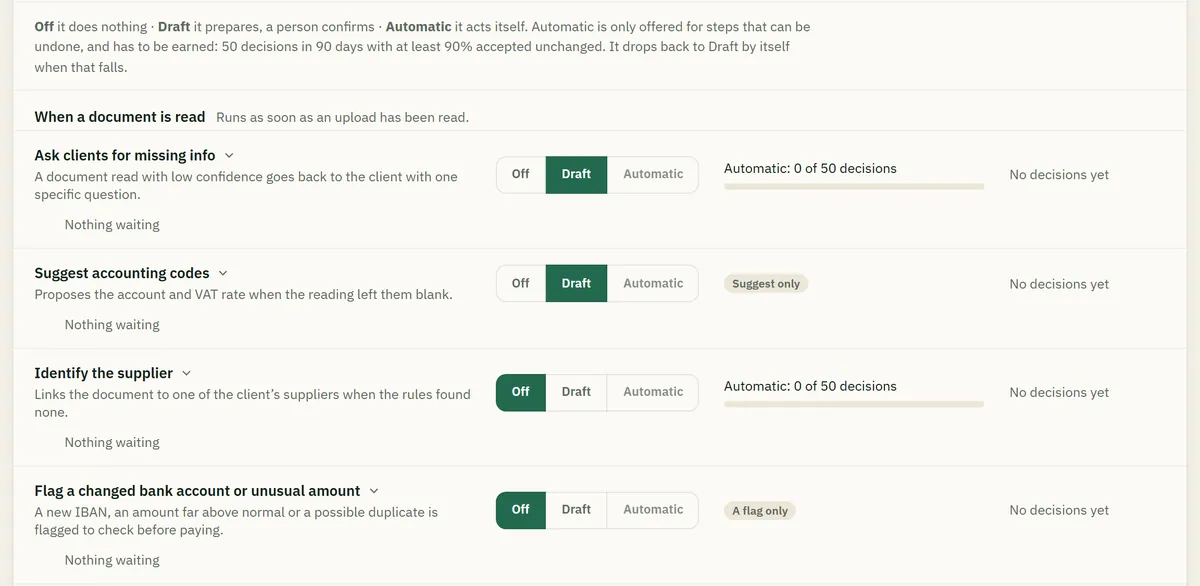
Off, Draft or Automatic, per task
- OffIt does nothing.
- DraftIt prepares, a person confirms.
- AutomaticOnly for steps that can be undone, only once your staff have accepted enough of its proposals unchanged, and back to Draft by itself if that drops.
Your firm's own AI
Each firm connects its own AI provider and key (Anthropic, OpenAI, Azure OpenAI or Mistral) under its own agreement, and chooses the models. Every AI request is recorded per client, with who caused it and what it cost.
Works without AI too
Without a key, OCR reading, rule-based bank matching and the standard assistant keep every flow working. AI is a switch, not a dependency.
A look at the product
Screens from Kontara, as your team and your clients see them.
All screenshots show demo companies and demo data.
Time saved
Work out what it could mean for your firm.
Fill in your own numbers. The result is plain arithmetic, not a promise.
Request a demo
See Kontara with demo data, on your firm's questions.
Leave your details and we will contact you to plan the demo.